Sign Up

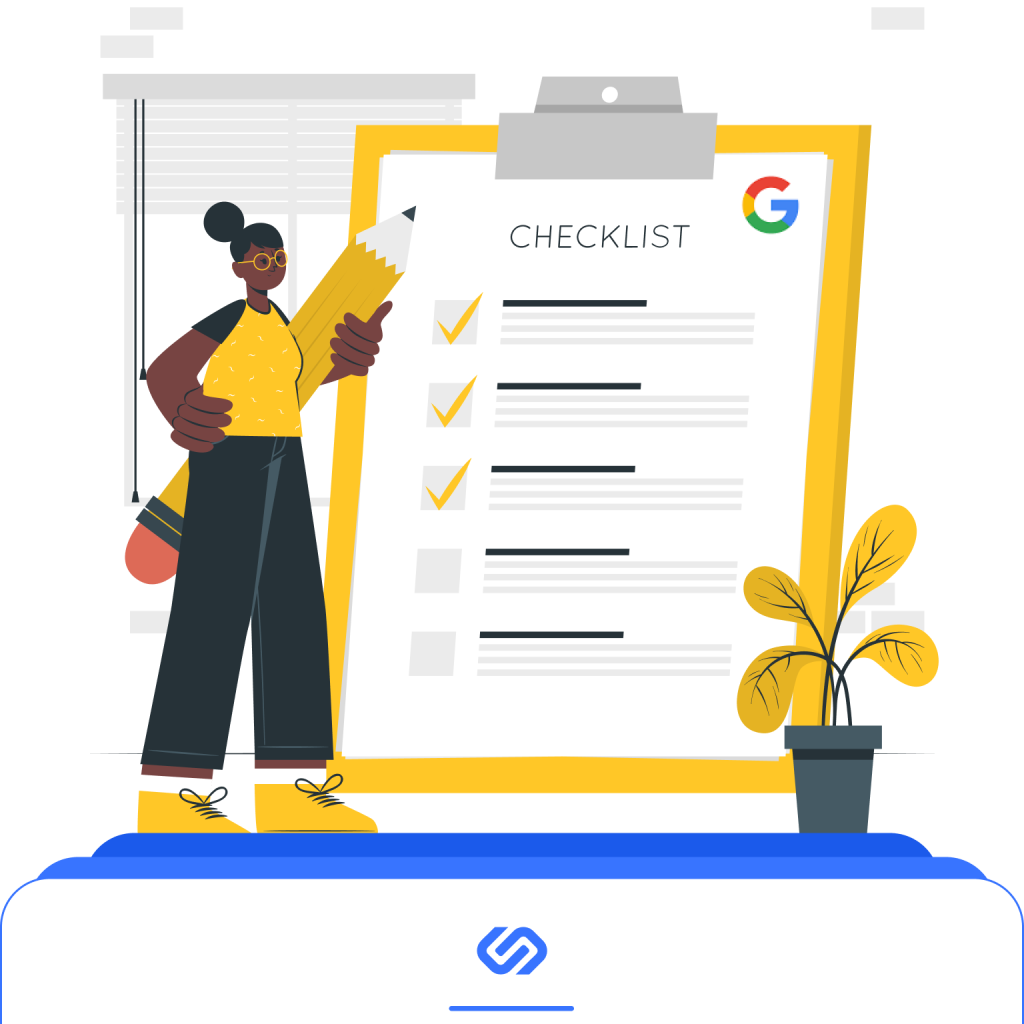
You don’t need expensive software to get started. Google’s ecosystem already covers 70–80% of what most entrepreneurs require. The key is to use these tools correctly and combine them into a simple workflow. When you understand where your backlinks come from, you can make better decisions about content, outreach, and partnerships. This guide explains how to check your backlinks on Google step by step, with clear actions you can take immediately.
What Google Really Shows About Your Backlinks
Google reveals more than many people expect. It shows which external sites link to your pages, how often they do it, and which content attracts the most attention. This helps evaluate the quality of your SEO footprint. At the same time, it’s important to understand what Google backlink tool does not display. You won’t get a complete historical archive of every link ever found. You won’t see granular metrics like paid tools offer. But you will see meaningful data that directly affects rankings.
Small and medium businesses rarely need exhaustive backlink databases. They need clarity. They need to know whether their authority is growing or declining. They need to find which pages attract natural citations. And they need to detect unusual or suspicious patterns early. Google’s built-in tools are enough for that.
Step 1: Use GSC Tools to Check Your Backlinks
Search Console is the main source of backlink insights. Its “Links” report lists real, indexed references to your site. Open your property, go to “Links,” and review “Top linking sites” and “Top linked pages.” It remains the most reliable way to check backlinks in Google because all data comes straight from the index.
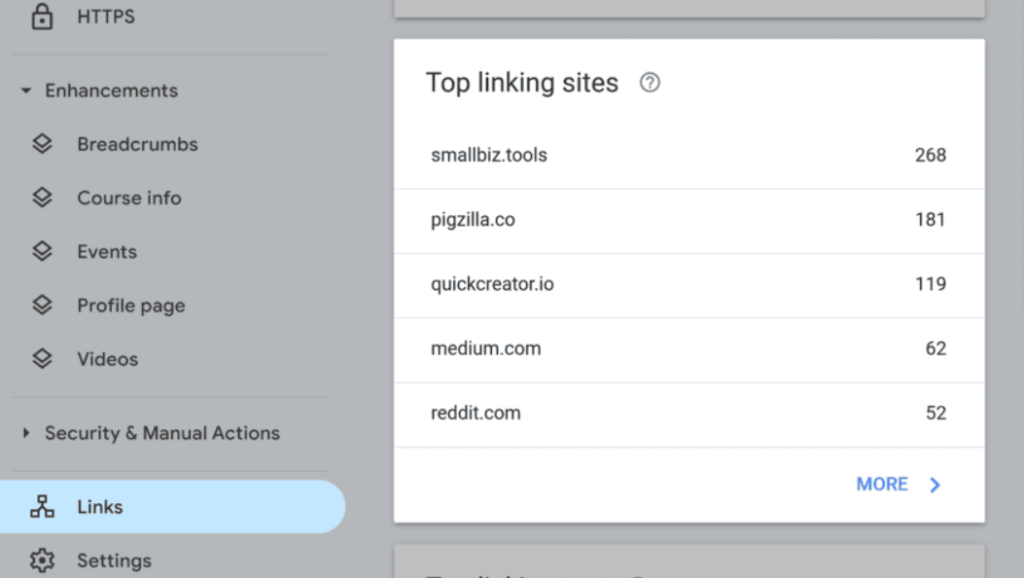
Focus on domains that link often — they usually signal strong brand relevance. Reviewing them helps spot partnerships worth developing. Checking “Top linked pages” also shows which assets attract the most attention and deserve further investment.
Exporting the report is quick, and a simple spreadsheet helps track changes over time. When you need a bigger-picture view, examine Google Search Console backlinks trends. This keeps expectations grounded in real performance rather than assumptions.
A few practical metrics matter most:
- Number of unique referring domains;
- Relevance of each linking site;
- Pages receiving the highest concentration of links;
- Anchors commonly used.
These indicators show whether your authority is growing naturally or needs improvement.
Step 2: Use Google Search to Find Backlinks Manually
Search operators reveal backlinks and brand mentions that Search Console may not show immediately. They are especially useful for discovering new citations or identifying opportunities you didn’t expect. When you want to understand how to find backlinks on Google, operators become an essential tool.
Here are effective examples:
- “yourdomain.com” -site:yourdomain.com”
- intitle:”your brand”
- inurl:yourdomain.com
These queries help you locate pages that reference you, either with links or plain mentions. If you want to locate fresh placements, you can search for backlinks using Google using variations of these operators to uncover hidden or recently published mentions.
Sometimes, the most valuable outcome is detecting “unlinked mentions.” These are sites that mention your brand without linking. Reaching out to the author and politely asking for a link is often successful and completely free. This is why marketers also rely on operators to check website Google backlinks when monitoring brand reputation.
Step 3: Use Google Alerts to Detect New Mentions and Link Opportunities
Google Alerts service is often overlooked, yet it’s an effective early-signal tool for spotting link opportunities. It tracks the web and notifies you when your brand or URL appears online. This helps you find backlinks using Google faster because you receive alerts as soon as new content is indexed.
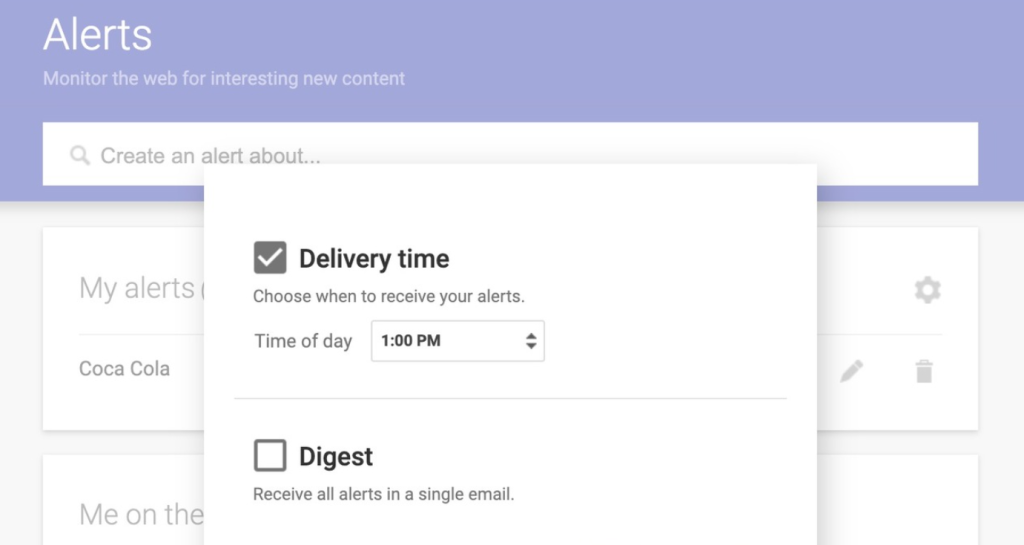
Setting alerts is simple: enter your brand name, choose frequency, and save. Each new mention should be checked for a link. If it’s missing, ask politely for attribution. Alerts won’t show your full backlink profile, but they capture fresh mentions during PR or new content launches, helping you avoid losing valuable link opportunities.
Step 4: Combine Google Analytics With Link Checks to Understand Traffic Impact
Finding backlinks is only half the job. You also need to understand which ones create real value. Google Analytics helps by showing referral traffic and user behavior. A backlink that brings engaged visitors is far more valuable than one that never generates a click.
This matters when you want to know how to check backlinks in Google and interpret their impact. The process is simple: go to Acquisition > All Traffic > Referrals and review the domains sending traffic. Analytics won’t list every link, but it highlights those that influence user actions.
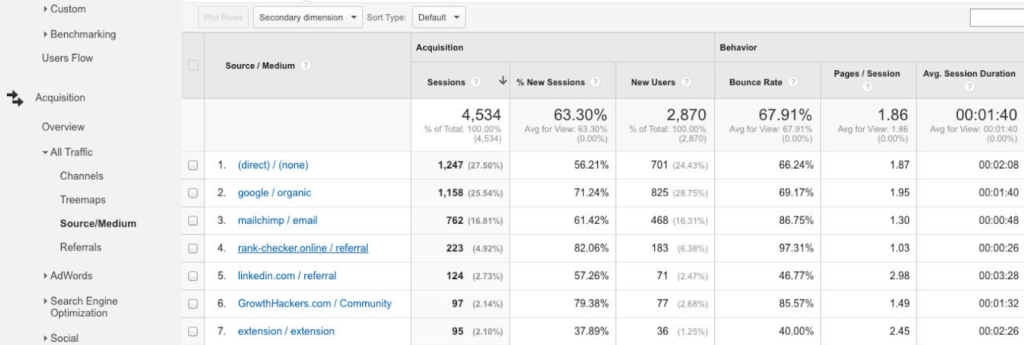
A quick checklist helps determine:
- Which domains send quality traffic;
- How long visitors stay;
- Whether they convert;
- Which pages they land on.
You can increase accuracy with a UTM tag using Google Webmaster Tools backlink checker. Add them so you can track results more clearly and understand which efforts deliver ROI.
Step 5: Run Manual Google Searches for Additional References
Search operators remain useful long after the first discovery step. They help validate indexing, uncover suspicious patterns, and manually confirm your presence on external pages. This is especially helpful when you want a practical Google backlink check without relying on paid tools.
Operators help you find Google backlinks that appear early, often before Search Console updates. This lets you detect momentum sooner and spot outdated URLs or incorrect mentions that need fixing. When you log these findings in a spreadsheet and review them monthly, clear patterns — both positive and negative — become visible.
Step 6: Use Google Search Console Filters for Deeper Backlink Analysis
Search Console offers more than simple exports. Its filters let you segment backlink data and understand where real influence comes from. You can filter by target page to see which content drives authority or sort by linking domains to spot concentrated clusters. This helps interpret checking your backlinks in Google Search Console because you see patterns.
Anchor text insights add another layer. Reviewing common anchors shows how other sites frame your content. If repetition grows, adjust outreach to diversify them.
A quick filter workflow:
- Check which pages attract links naturally.
- Review domains that link most frequently.
- Scan anchors for balance and relevance.
- Compare month-to-month trends.
Historical exports reveal whether campaigns gained momentum or stalled, giving you a clearer view.
Step 7: Use Google Search to Validate Indexing and Spot Risks
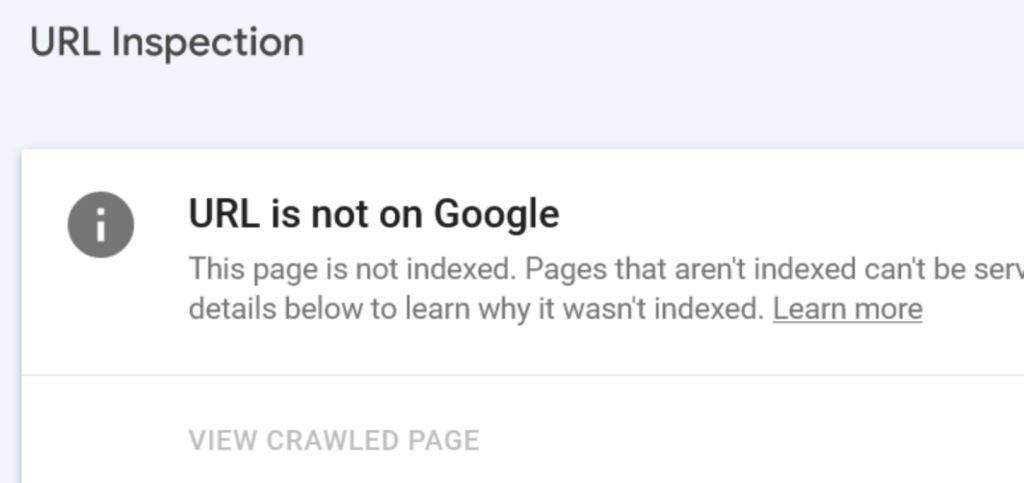
Once your backlink list is ready, the next step is verifying whether each referring page is indexed. A link on a non-indexed page brings almost no value. The check is simple: paste the URL into Google and see if it appears. If it doesn’t, the page may be blocked, penalized, or not yet discovered.
This is why many SEOs are finding backlinks using Google search. They want to confirm that links are live and visible to Google. If an important backlink sits on a non-indexed page, you can contact the site owner and ask them to request indexing — most are open to it.
Manual checks also help identify risky domains. When a referring page looks irrelevant or auto-generated, a disavow may be necessary, though this should only be done after confirming a consistent pattern of low-quality links.
Step 8: Build a Simple, Repeatable Workflow
To stay organized, use a 4-step monthly routine:
- Export Search Console data.
- Identify new mentions with Google Alerts.
- Review referral traffic in Analytics.
- Run operator-based scans.
It keeps your backlink profile clean. This also ensures that checking backlinks using Google becomes a natural part of your SEO workflow.
 ChatGPT
 Perplexity
 Claude
 Google AI Mode
 Grok
Grok